
OnlyFans is an online platform that allows you to create content for a paid subscription. Since its launch in 2016, it has become very popular among content creators.

In some countries, such as Russia and Belarus, access to the platform may be limited. Let's look at how to solve this problem and access OnlyFans from these countries.
Access from Russia and Belarus
At the moment, access to OnlyFans from Russia and Belarus is limited. This is because OnlyFans contains adult content. However, there are ways to bypass this restriction and gain access to the platform.
One way to access OnlyFans from Russia and Belarus is to use a virtual private network (VPN).
However, it is worth remembering that using a VPN to bypass blocks may be illegal or violate the platform's rules. Therefore, please check your local laws and OnlyFans rules before using a VPN.
Besides VPN, there are other services, such as proxy servers or anonymizers, that can also help you access OnlyFans from Russia and Belarus.
Access from other countries
In most countries, access to OnlyFans is unlimited. Users can freely create and view content. However, it is worth remembering the rules and restrictions set by the platform itself, as well as the laws of your country regarding adult content.
Login using login and password
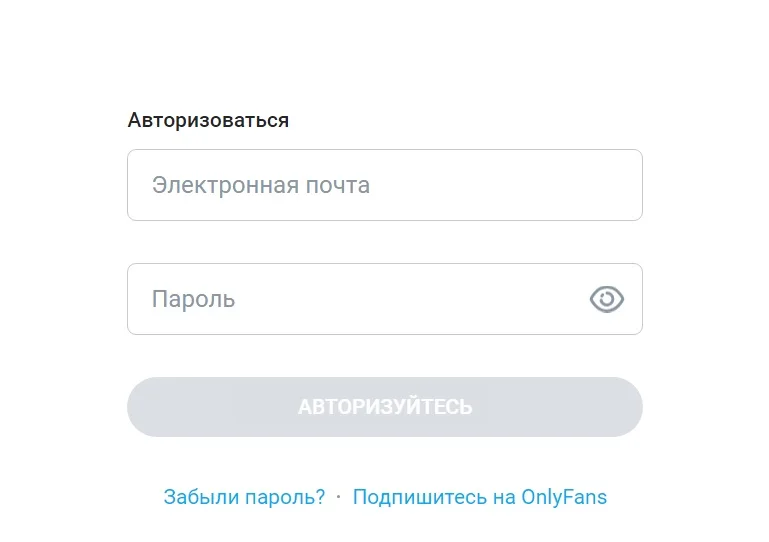
If you already have an account on OnlyFans, then you can log into it by entering your username and password. To do this, follow these steps:
- Go to the official website onlyfans.com.
- Enter your email address and password you provided during registration.
- Click the “Login” button.
If you have forgotten your password, use the password recovery feature. To do this, on the login page, click “Forgot your password?” and follow the instructions to restore it via email.
Login via other platforms
OnlyFans also offers the ability to log in through third-party platform accounts, which can make the registration and login process much easier. Let's look at the available options.
To login via Twitter, follow the instructions:
- On the OnlyFans login page, click "Log in with Twitter."
- You will be redirected to the Twitter login page. Enter your Twitter login details.
- Allow the OnlyFans app to access your Twitter account.
- You will then be returned to OnlyFans and logged into your account.
Login via Twitter is convenient for those who actively use this social network and prefer to merge accounts.
To sign in with Google, follow these steps:
- On the OnlyFans login page, select the "Login with Google" option.
- In the Google login window, enter your Google credentials (email and password).
- Allow OnlyFans access to your Google account.
- You will then be automatically redirected to your OnlyFans page.
In this case, you do not need to remember a separate password for OnlyFans; the data from your Google account is enough.
Access to OnlyFans from Russia and Belarus may be limited, but is possible using a VPN or other services. However, you should be careful when using such tools and comply with platform rules and local laws.
OnlyFans offers several login methods, including classic login via username and password, as well as integration with popular platforms Google and Twitter.