BuddyX App Review: Chrome Extension CRM for OnlyFans
BuddyX is a Chrome extension that adds CRM features to OnlyFans: fan lists, mass messages, scripts and tracking links. Plans start at $39 per model per month, with a free tier.


Important. Platform terms change. Before signing up, check the current rules, fees and payout availability for your country.
BuddyX is a Chrome extension that works as a CRM for OnlyFans. Unlike most competitors, it does not require separate software: you open OnlyFans in your usual Google Chrome (or an anti-detect browser) and switch on the BuddyX App extension.
Main features: fan tagging with custom data, mass messages with personalization, chat scripts with attached media, restricted-word lists, emoji shortcuts and advanced tracking links. The price per account is low. For an agency with many profiles you will still need your own anti-detect browser, proxies and so on.
BuddyX App features
List management: sorting fans into segments
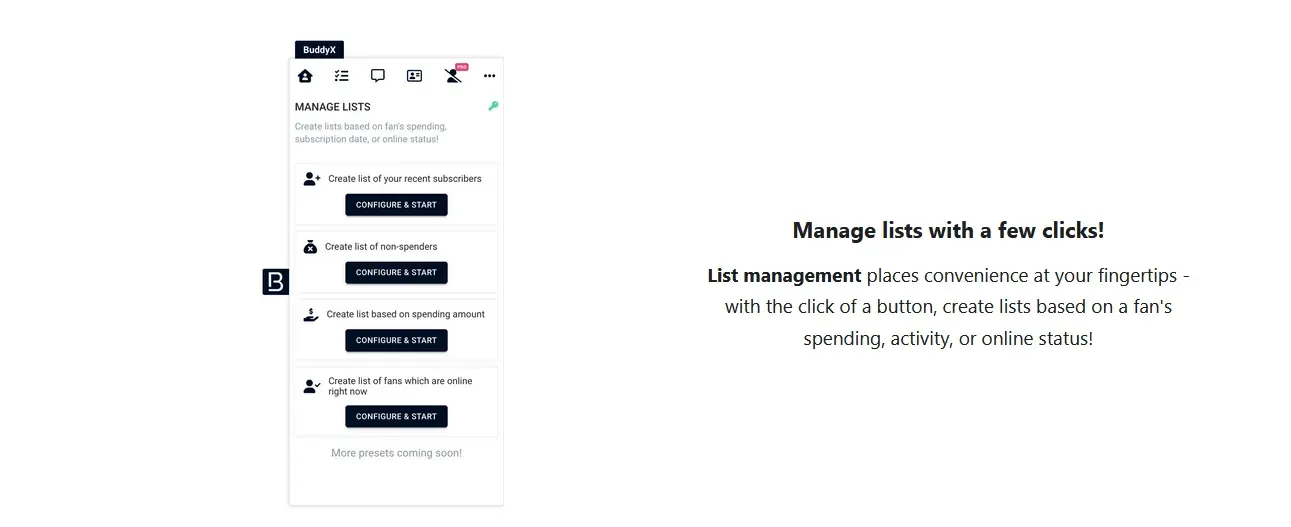
BuddyX offers several tools for building lists:
- Smart Lists: fan lists based on spending
- Online Fans List: a list of fans who are online now
- Recent Chat List: lists built from recent chat activity
- Spending-based filtering: filter by any spending amount
- Activity-based lists: segments based on fan activity
Fan information: building fan cards
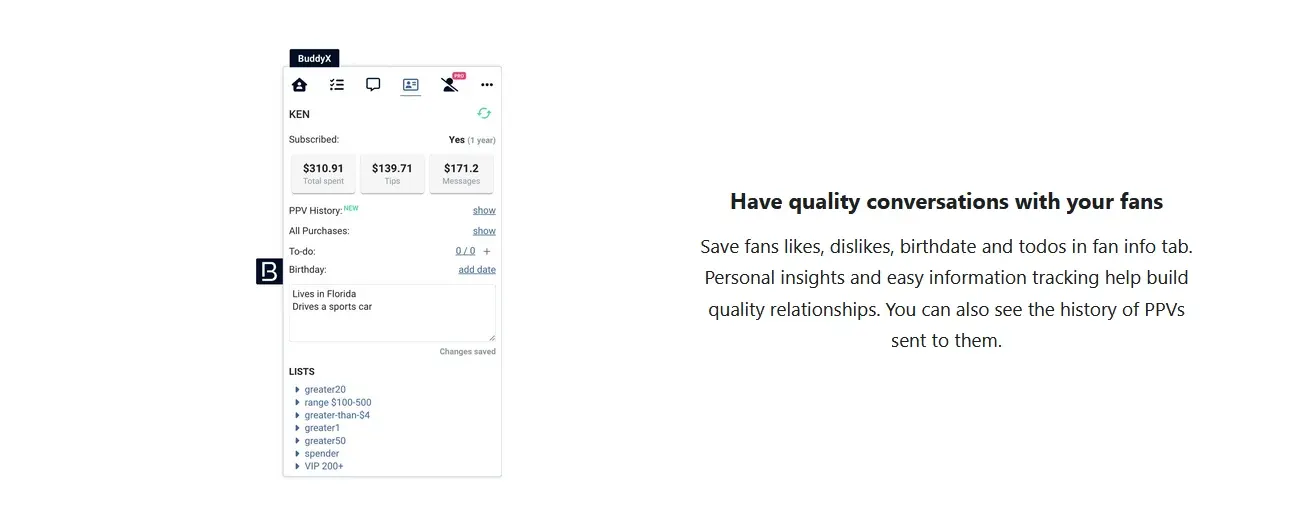
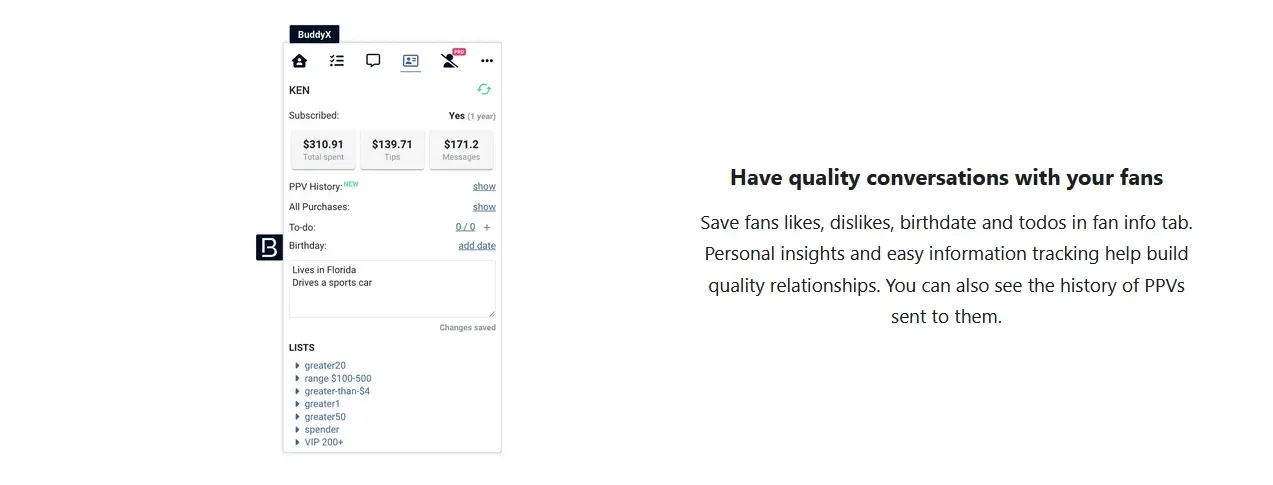
A system for keeping information about your fans:
- Fan Info tab: likes, dislikes, birthday and notes
- Personal insights: details that help you build better relationships
- PPV history: the pay-per-view messages you have sent
- Spending information: what each fan has spent
- Fan labeling: labels shown right in the chat view
Messaging and chatting tools
- Message templates: ready-made message presets
- Advanced scripts: scripts with media and a price
- Priority welcome messages
- Mass messages as priority
- Message online fans: write to fans who are online
- Customizable emoji keyboard
Follow-back for expired fans
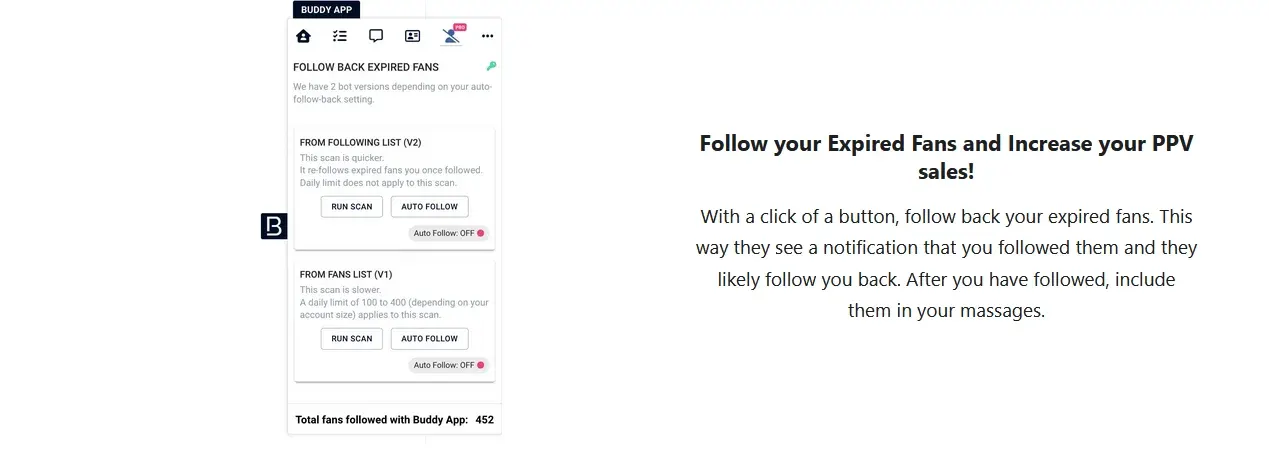
BuddyX has two versions of the follow-back feature:
- Follow Expired Fans v1: the basic version of auto-following
- Follow Expired Fans v2: an improved version
- One-click follow-back
- Notification generation: creates notifications for fans
- Re-engagement strategy: bringing lapsed fans back
Vault management
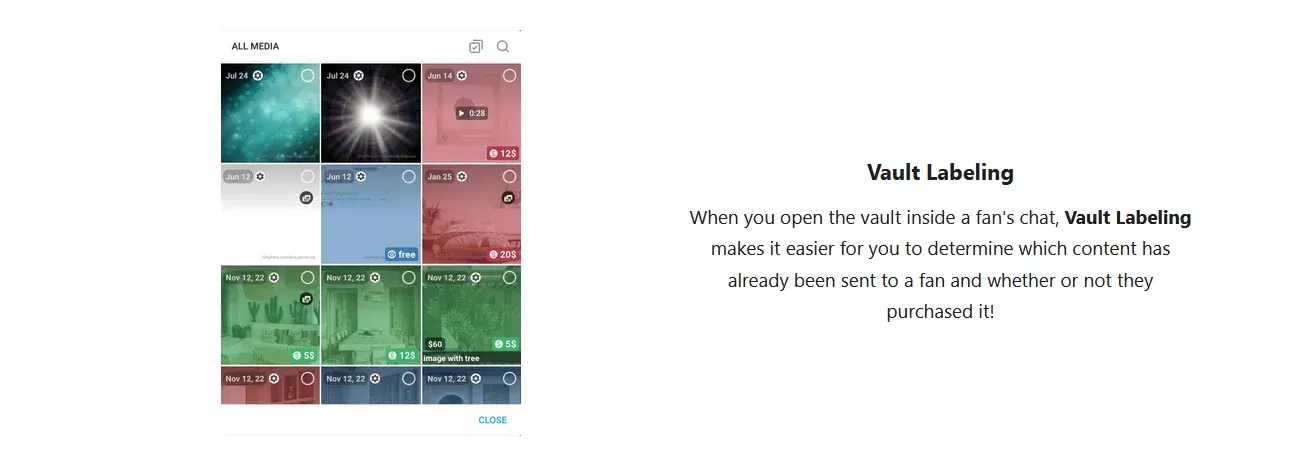
Tools for organizing your content library:
- Vault labeling: labels for items in the vault
- Vault marking: marks showing what a fan has or has not purchased
- Content organization
- Team notes: notes about content for your team
- Price expectations: target prices for each item
Automated promotions
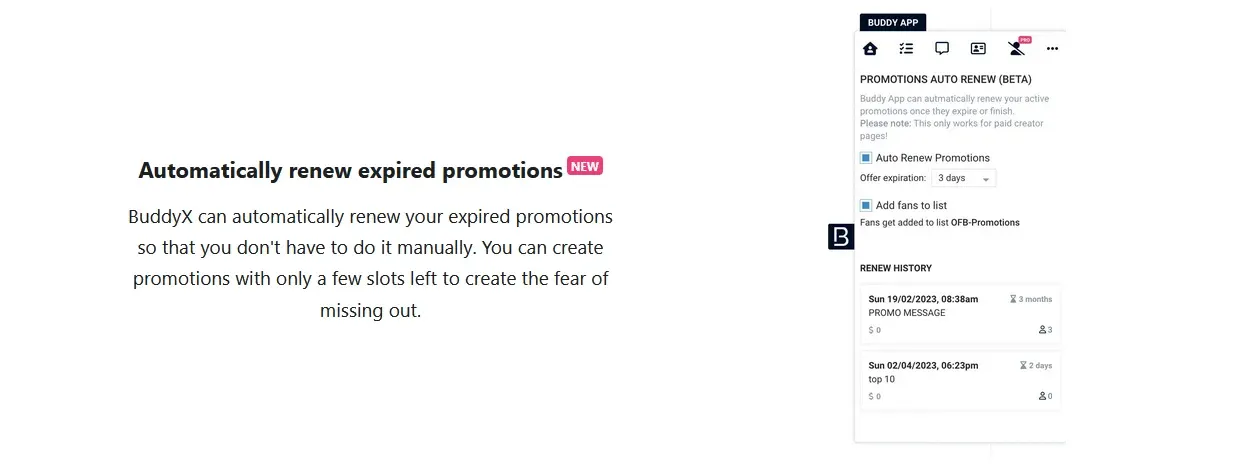
- Auto-renew promotions
- Promotion extensions when a promo is about to expire
- Second chances for fans who missed an offer
- Limited-time offers management
Productivity tools
- To-do list
- Chat timers
- Recent comments tracking on your posts
- Restricted words blocking in chats
- Earnings statement export
Financial management
Export options for your finances:
- Statement export: your latest OnlyFans earnings statements
- CSV format download
- Record keeping and financial tracking made simpler
Analytics
Analytics dashboard
BuddyX includes an analytics panel:
- Performance metrics
- Engagement analytics: how actively fans respond
- Revenue tracking
- Subscriber trends
- Content analytics
Link tracking for external traffic
- Link performance: track free-trial links and tracking links (FTL/TL)
- Affiliate data sharing: share link stats with affiliates
- Campaign performance
- Conversion tracking
BuddyX pricing
There is a free plan with fan notes and message templates. Paid plans include all features; the price per model drops as you connect more accounts.
- BuddyX PRO: $39/month for 1 model
- BuddyX PRO+: $78/month for 2 models
- BuddyX LEGEND: $146/month for 5 models
- BuddyX ENTERPRISE: $253/month for 10 models, roughly $25 per account
- If you need a plan for more accounts, ask support for a custom quote.
Our take on BuddyX
Among OnlyFans CRMs, BuddyX holds a distinct place. Most other tools are desktop software: you download a client for macOS or Windows, log your accounts into it, and use the proxies they provide. With BuddyX you simply add an extension to your own browser and keep your own proxies. This approach clearly has its own audience.
BuddyX is also much cheaper. Competitors often charge $100-200+ per account, while here it is about $25-39 per account. You will need to buy proxies and an anti-detect browser separately, but that is a small cost. Support replies quickly during business hours.
On security, there is likely no big difference between BuddyX and other CRMs: in both cases it is an anti-detect browser plus an interface layered on top of OnlyFans. These services are widely used today.
Reviews found online point to similar strengths:
“I've been using BuddyX for about a year, nothing compares, it works for me on every point, frequent updates, 24/7 support, great team!”
“Creator Hero but $250 cheaper, 100% recommend.”
There are downsides too. The extension has no staff roles, so you cannot give a chatter access to messages only. A workaround is to configure roles in your anti-detect browser and block specific URLs; it is a bit of a hack, but it works. As a result, you also get no per-employee statistics.
There are no AI tools at all. Building one extension should be easier than maintaining several desktop apps, as competitors do, so you would expect time left for new features, but they are not there yet. Fansly is not supported either.
Platforms in this guide
- BuddyXChrome extension with analytics and productivity tools for creators
- OnlyFansThe largest subscription platform: creators keep 80%
- CreatorHeroOnlyFans CRM for agencies: chatters, mass messages, analytics
- FanslyA leading OnlyFans alternative with tiered subscriptions
Frequently asked questions
What is BuddyX App?
It is a Google Chrome extension that adds CRM features to the OnlyFans interface: fan lists, notes, templates, mass messages and analytics. You do not need a separate desktop client.
How much does BuddyX cost?
There is a free plan with fan notes and message templates. The paid PRO plan is $39 per month for one model, and the price per account falls when you connect more models, to roughly $25 on the 10-model plan.
Do I need an anti-detect browser to use BuddyX?
For one personal account, regular Chrome is enough. If you manage several profiles as an agency, you will need an anti-detect browser and proxies, because the extension runs inside your own browser.
Does BuddyX support staff roles or Fansly?
No. There is no role-based access for chatters, and Fansly is not supported. You can limit staff access through the settings of your anti-detect browser.
How is BuddyX different from Creator Hero and other OnlyFans CRMs?
Most competitors are standalone apps with their own proxies and account logins. BuddyX runs as an extension in your browser and costs much less, but it has no AI tools and no staff roles.