
Paxum is a modern payment system that offers users fast, reliable and convenient ways to transfer funds.
This article describes in detail the registration process for Paxum.
Step-by-step registration instructions
Selecting an account type
The system offers two types of accounts: for personal use and a legal entity account.
- Open the Paxum website.
- Click on the “Registration” or “Sign Up” button depending on the language of the site.
- Select the account type that suits your needs (personal or business).

Filling in standard data
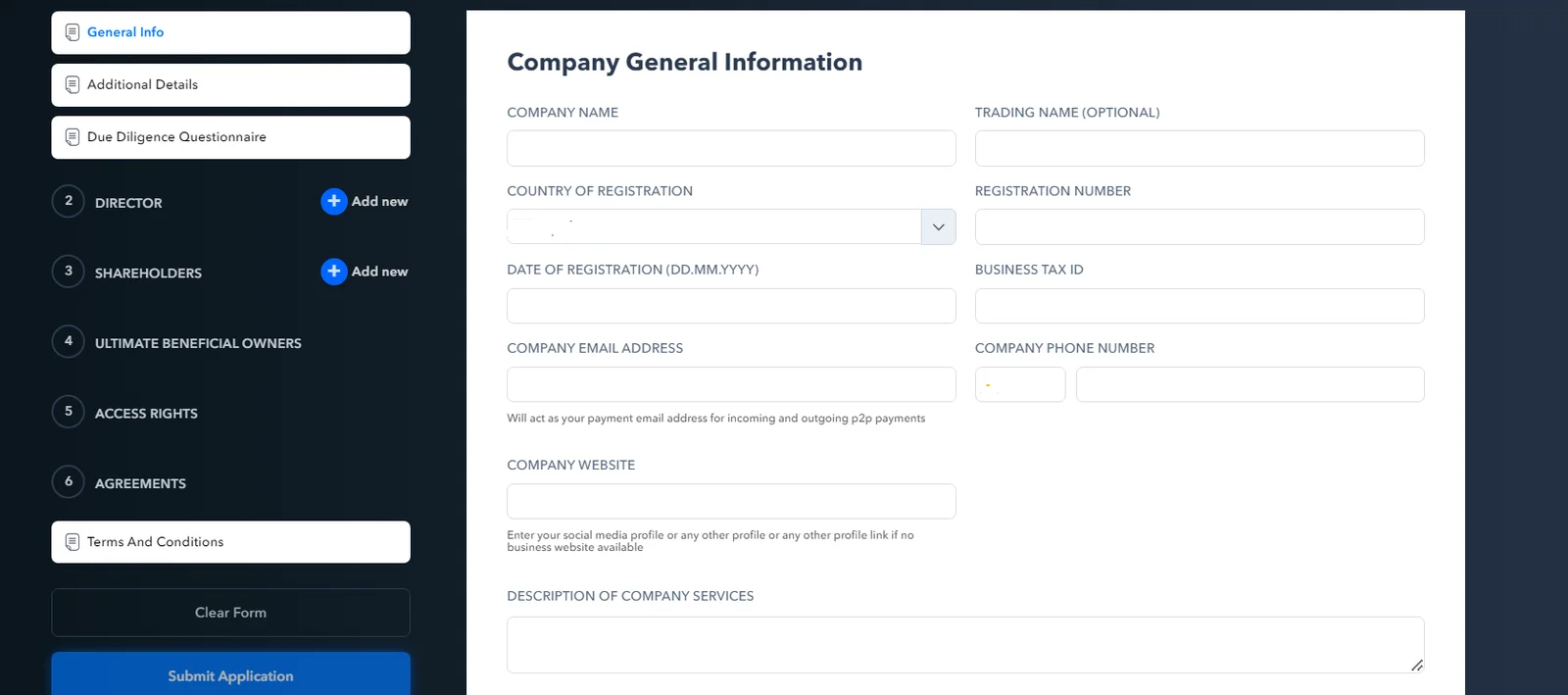
Depending on the selected account type, you must provide the following information
- Email.
- Password.
- Mobile phone number.
- Company name.
- Country of registration
- Organization registration number
- Company registration date
- Taxpayer Identification Number
- Organization website
- Description of services provided by the company
- Legal and actual address of the company.
Entering personal information
You must also specify:
- Name
- Last name
- Date of Birth
- Gender
- Residence address
- Phone number
Additional financial information
After entering personal data, you must provide financial information:
- Select the currency in which transactions will take place on your Paxum account.
- Provide source of income if required.
- If necessary, provide information about the employer or business.
Agreement to terms and conditions and activation
- Read Paxum's user agreement and privacy policy.
- Place a checkmark or mark indicating agreement.
- Submit the registration form by clicking on the “Register” or “Register” button.
- Check your email for a confirmation email from Paxum. Follow the instructions in the email to activate your account.
Account verification
To fully access Paxum services, you will need to complete the following verification process:
- Log in to your account and begin the verification process.
- Take a photo of documents proving your identity and residential address (passport, driver's license, utility bill, etc.).
- Submit the requested documents through the Paxum system according to the instructions provided.
- Please wait until your account is verified. This may take from several hours to several days.
After successful verification, your Paxum account will be fully active.
Paxum remains one of the best solutions for those looking for effective financial tools for running an online business.
Video review
FAQ
What are the main benefits of using Paxum for online payments?
What documents and data are required to successfully register with Paxum?
How long can the Paxum account verification process take?
How to safely store money on Paxum and what security measures does the service offer?
How can I withdraw money from Paxum to my bank account or card?
How can I get help or support if I have problems using Paxum?