Fansly Banner Size: Header Dimensions and How to Make One
The working size for a Fansly profile header is 3261 x 1126 pixels. Here is how the banner looks on the subscribe screen and which editors to use.

Important. Platform terms change. Before signing up, check the current rules, fees and payout availability for your country.
Fansly's documentation does not give exact dimensions for the profile banner (header), so creators rely on tested sizes. The sizes below work well in practice.
What size is the Fansly banner?
- On a mobile device, the banner shown on your profile works at 3261 x 1126 pixels.
- When a visitor clicks the "Subscribe" button, a thinner version of the banner appears. Its size is roughly 1168 x 204, so keep important elements away from the edges and preview how it looks.
In short, 3261 x 1126 is the working size for a Fansly header.
Where to make a Fansly banner
Canva
An online graphics editor that makes it easy to build banners for social networks. The free plan is enough.
- Sign up on the official site.
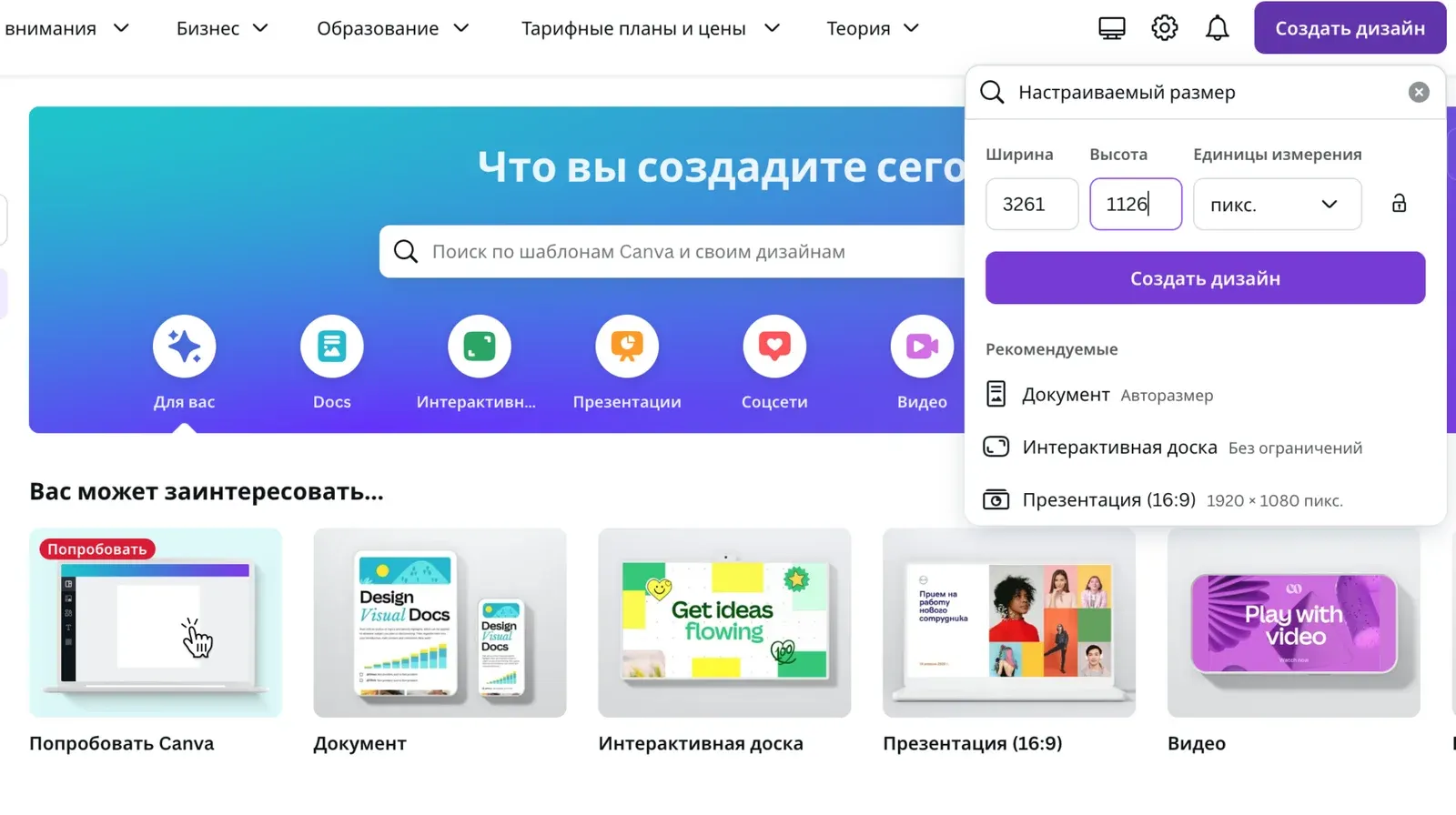
- Click "Create a design" and choose a custom size.
- Enter the dimensions (see the screenshot).
Other services
You can also use other online editors:
- VistaCreate
- Figma (more complex, aimed at designers)
- Wilda
- PicMonkey
Platforms in this guide
- FanslyA leading OnlyFans alternative with tiered subscriptions
Frequently asked questions
What is the profile banner size on Fansly?
The working size for a profile banner is 3261 x 1126 pixels. Fansly does not publish exact dimensions in its documentation.
Why does my Fansly banner look cropped?
When someone clicks "Subscribe", a thinner version of the banner is shown, roughly 1168 x 204. Keep important elements away from the edges.
Which editor can I use to make a Fansly header?
Canva works well: create a design with a custom size and enter the dimensions. VistaCreate, Figma, Wilda and PicMonkey are alternatives.
Is the free Canva plan enough for a banner?
Yes, the free plan is enough for a profile banner.