The OnlyFans platform is a popular service with paid subscriptions to content. Here you can access photos and videos of your favorite celebrities and famous bloggers. In case you decide that you no longer want to use the site, we have detailed the process for deleting your OnlyFans account.
Is it possible to disable a profile without deleting
Without deletion, the service only allows you to cancel your current subscriptions. After the user unsubscribes from all channels, he will receive an empty profile. However, the page will still exist on the platform.
Step-by-step instructions for deleting a profile
To permanently remove your account from the platform, use the standard settings.
- Go to your profile.
- Open the menu and find the "Account" section.
- Select the "Delete Profile" option.
Attention. It will be possible to completely delete an account only after the user confirms the action by email. Until then, the profile will still exist.
Account Login
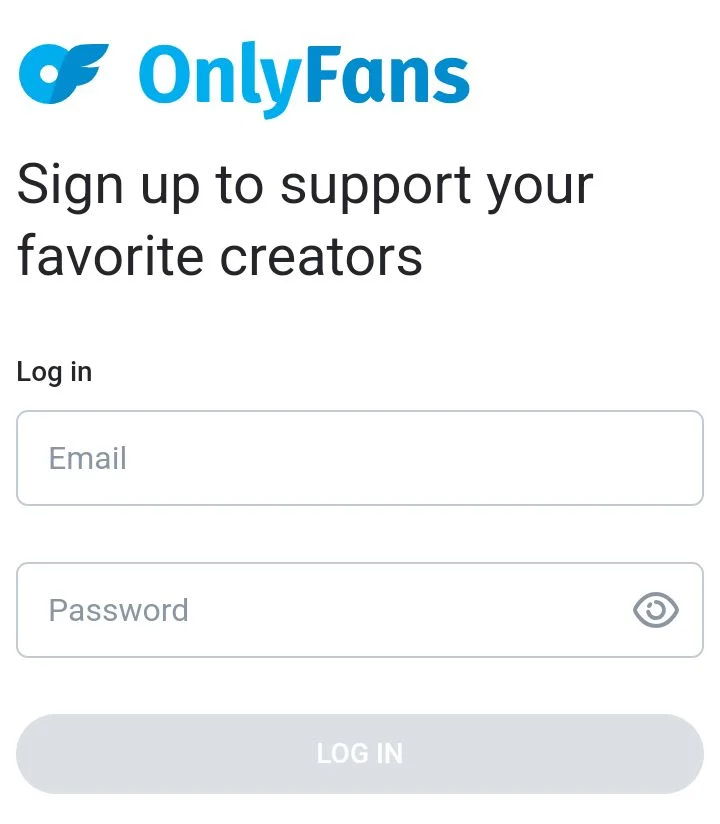
To log in to OnlyFans, click on the Log in button on the main page. After this:
- specify your login and password;
- click on the Log in button.
In your personal account, find the “Settings” menu.
Settings menu and Account section
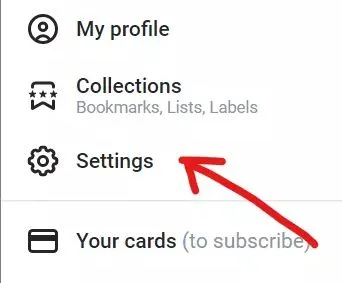
In your profile, you need to open the main menu, and then find the Settings section. In the tab that opens, open the “Account” section and select the Delete my account option.
Deleting a profile
The system does not allow you to delete an account from the site until the captcha is entered. Therefore, the user must carefully consider the proposed combination of letters and numbers, and then enter it into the appropriate window. After this, the system will again request confirmation of deletion by asking the question “Are you sure?” (“Are you sure?”). To prove your intentions, you need to click on the Yes button.
Deletion confirmation via email
The final step will be to confirm your actions by email. The service will send a message with a link that you will need to follow. After this, the profile will be permanently deleted from the site, and the user will be on the OnlyFans main page.